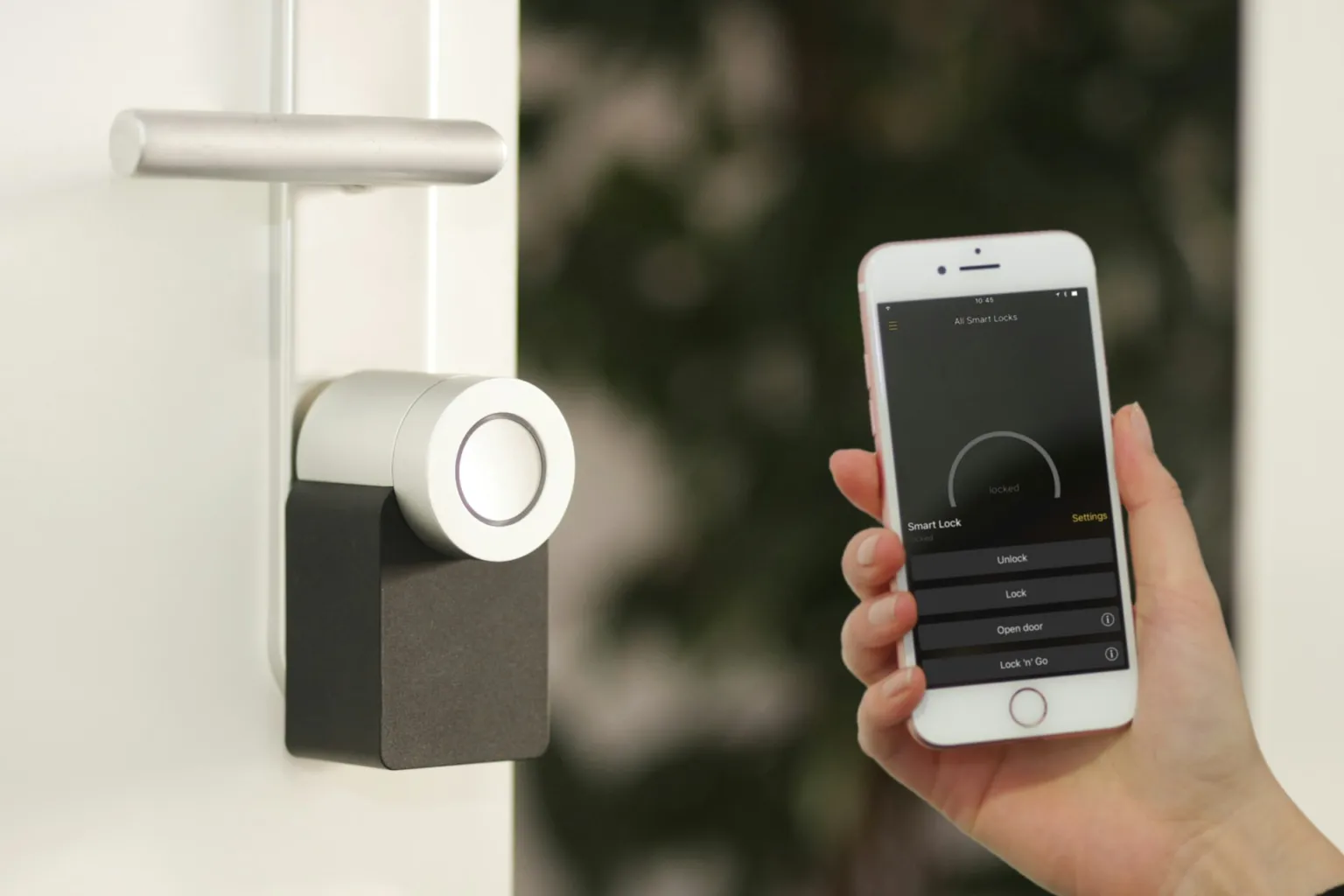
The smart home upgrades buyers value most are practical ones: a smart thermostat, a video doorbell, keyless smart locks, smart lighting in key rooms and water leak sensors. They are easy to understand, work without a complicated setup and support comfort, security or lower bills. At TheKabza.com we advise sellers to add a few reliable devices rather than wire the whole house.
Key takeaways
- Simple, widely compatible devices appeal to more buyers than whole-home custom systems.
- Smart thermostats, smart locks, video doorbells and leak sensors are the easiest to explain in a listing.
- Decide in advance which devices stay with the house and write that into the contract.
- Reset every device, remove your accounts and hand over manuals and admin access at closing.
What makes a smart upgrade worth it to buyers
Buyers rarely pay extra for gadgets. They respond to features that solve everyday problems and feel like part of the house, not a hobby. Before you add anything, ask three questions:
- Is it useful to almost anyone? Door locks and thermostats are; a niche voice-controlled gadget may not be.
- Will it work for the next owner? Devices that rely on common standards and a free app are easier to inherit.
- Is it installed cleanly? Loose wires, mismatched plates and half-finished setups hurt more than they help.
The smart home upgrades buyers notice most
| Upgrade | Why buyers like it | Seller tips |
|---|---|---|
| Smart thermostat | Comfort, scheduling and energy management | Look for ENERGY STAR certification and confirm HVAC compatibility |
| Video doorbell | Package security and seeing who is at the door | Mount level and neat; check local rules on recording |
| Smart lock | Keyless entry and guest codes | Keep a physical key backup; reset codes at closing |
| Smart lighting and dimmers | Convenience and ambiance | Prioritize entry, kitchen and outdoor lights; keep switches usable |
| Water leak sensors and shutoff | Early warning for leaks near heaters and appliances | Place by water heater, washer and under sinks |
| Smart smoke and CO alarms | Phone alerts when away | Never replace required alarms with non-compliant devices |
Smart thermostats: the easiest win
A smart thermostat is one of the simplest upgrades to justify, because it ties directly to comfort and energy use. ENERGY STAR describes certified smart thermostats as Wi-Fi enabled devices independently verified to save energy. In hot metros like Austin, Phoenix and Houston, buyers often ask about cooling costs, so this is a natural talking point.
Our guide to smart thermostat energy savings covers settings, compatibility and other tools that help trim utility bills.
Security and entry upgrades
Video doorbells and smart locks are popular because they solve real problems: missed deliveries, lost keys and letting in service providers. They also show well in listing photos when installed neatly.
Keep it secure
Every connected device is only as secure as the network it sits on. The FTC’s guide on how to secure your home Wi-Fi network explains encryption, router passwords and firmware updates. Change default passwords on every device and turn on two-factor authentication in the apps that support it.
Upgrades that can backfire
Some smart features add complexity without adding value for the next owner:
- Proprietary whole-home systems that need a specific installer to maintain.
- Devices that only work with a paid subscription the buyer did not choose.
- Smart switches that leave lights unusable without an app.
- Cameras inside the home during showings, which can make buyers uncomfortable.
A good test is whether a buyer could use the feature on day one without a lesson. If it needs a long explanation, a specialist or a monthly fee, it may be better to remove it and restore a standard fixture before listing.
If you have cameras or audio devices running during showings, check local law and your listing agreement, and disclose them where required.
What stays with the house
Hard-wired or mounted items, like thermostats, doorbells and locks, are often treated as fixtures that convey with the home. Plug-in speakers and hubs usually are not. Customs and contracts vary, so list exactly what stays and what goes in writing before you go under contract. TheKabza.com agents raise this at the listing appointment so nobody is surprised at the final walkthrough.
Handover checklist for sellers
- Remove the devices from your accounts and factory-reset them.
- Delete your saved codes, schedules, recordings and Wi-Fi credentials.
- Leave manuals, model numbers and any warranty details in a folder.
- Note which apps the buyer should download to set up each device.
- Keep at least one physical key and confirm locks work manually.
Showcasing tech in your listing
Mention smart features in the listing description, and stage them so they look intentional: clean the thermostat face, align the doorbell and hide cords. Our home staging tips cover how to present each room. Your agent can help you decide which features belong in the listing headline.
For more ideas, see the smart home category and our selling guides. If you are on the other side of the deal, our home buying process explains what to ask about connected devices during a showing, and you can find every service on the TheKabza.com website.
This article is general information, not professional electrical, legal or cybersecurity advice. Use a licensed electrician for hard-wired installations and follow manufacturer instructions.
Frequently asked questions
Do smart home upgrades increase home value?
They can make a home more appealing, but they rarely add value on their own the way a new roof or kitchen might. Practical upgrades such as thermostats, smart locks and leak sensors can help a listing stand out and reassure buyers. Avoid expensive custom systems unless they are common in your price range.
Should I leave my smart devices when I sell?
Mounted or hard-wired devices are commonly treated as fixtures that stay, while plug-in items usually go. To avoid disputes, state in the contract which devices convey. Before closing, remove your accounts, factory-reset each device and leave instructions so the new owner can set everything up under their own login.
Are smart locks safe?
A well-installed smart lock from a reputable maker can be as practical as a traditional deadbolt, but security depends on setup. Use strong, unique codes, keep firmware updated, secure your Wi-Fi network and keep a physical key backup. Reset all codes and user accounts whenever ownership or tenants change.